
Product availability
Have the Yedric assistant check live price and stock before answering, so shoppers never hear about items that sold out, on every plan.
Your assistant checks live price and stock before it answers, so shoppers never hear about stock that sold out an hour ago. Product descriptions come from your synced catalog either way. Product availability is on for every new store, on every plan.
What shoppers see
Section titled “What shoppers see”When a shopper asks about a product, the assistant answers with its current price and availability, and shows a product card with the product’s image, title and price.
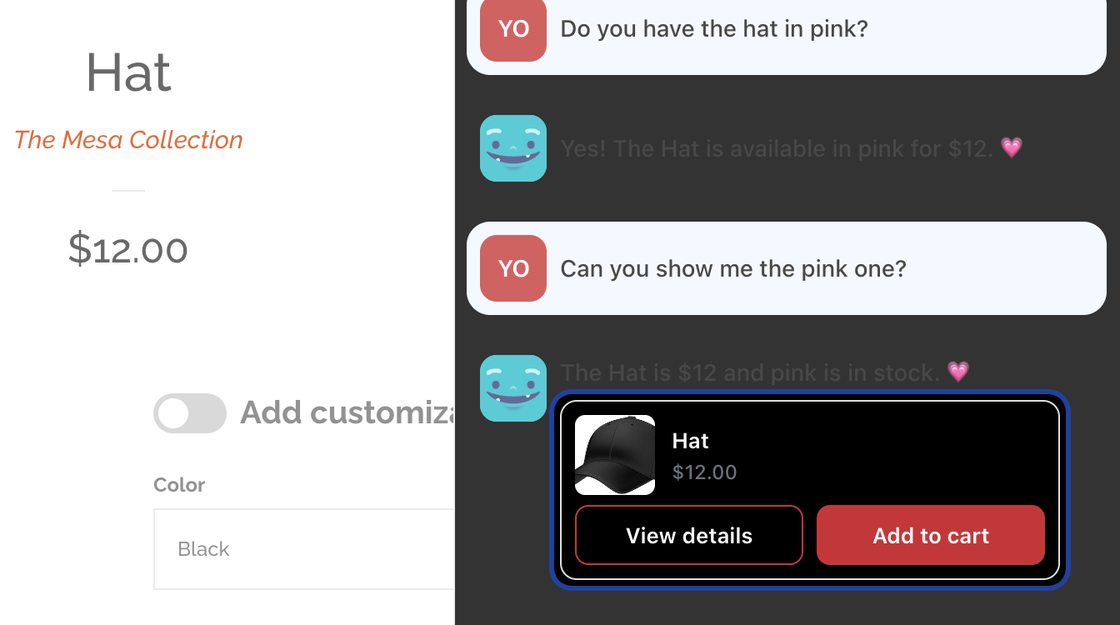
- Stock is shown as in stock, low stock, sold out or available to order, unless you choose to show exact counts.
- On your storefront, the card asks the shopper to choose options such as size and color inside the chat, then Add to cart adds it to their cart. Nothing is added until the shopper clicks.
- If you use Infinite Options, the card also asks for your custom product options.
Settings
Section titled “Settings”Open Capabilities > Product availability.
- Show exact stock counts (otherwise in stock, low stock or sold out): Off by default. Turn it on if you are happy for shoppers to hear, for example, “3 left”.
Click Save in the save bar.
Related
Section titled “Related”- Product recommendations suggests products that fit what a shopper describes.
- Size finder picks the right size on the product card.