
Infinite Options
See how Yedric works with the Infinite Options app so shoppers fill in engraving or gift message options in chat before adding to cart.
Infinite Options is ShopPad’s app for custom product options, such as engraving, gift messages or monograms. With it installed, the product cards in your assistant’s answers walk shoppers through those options in chat, then add the item to their cart with everything filled in.
There is nothing to connect. Yedric notices Infinite Options on your store by itself, and it works wherever the assistant shows product cards: Product availability, Product recommendations and Size finder.
What shoppers see
Section titled “What shoppers see”When a product in the chat has an option set, its card asks for each option in turn, one question per field, before Add to cart adds it. It follows the option set’s rules: required fields must be filled in, and options that only appear after another choice appear in chat too. Paid add-ons show their price, such as “(+$5.00)”, and are charged the way your Infinite Options setup charges them.
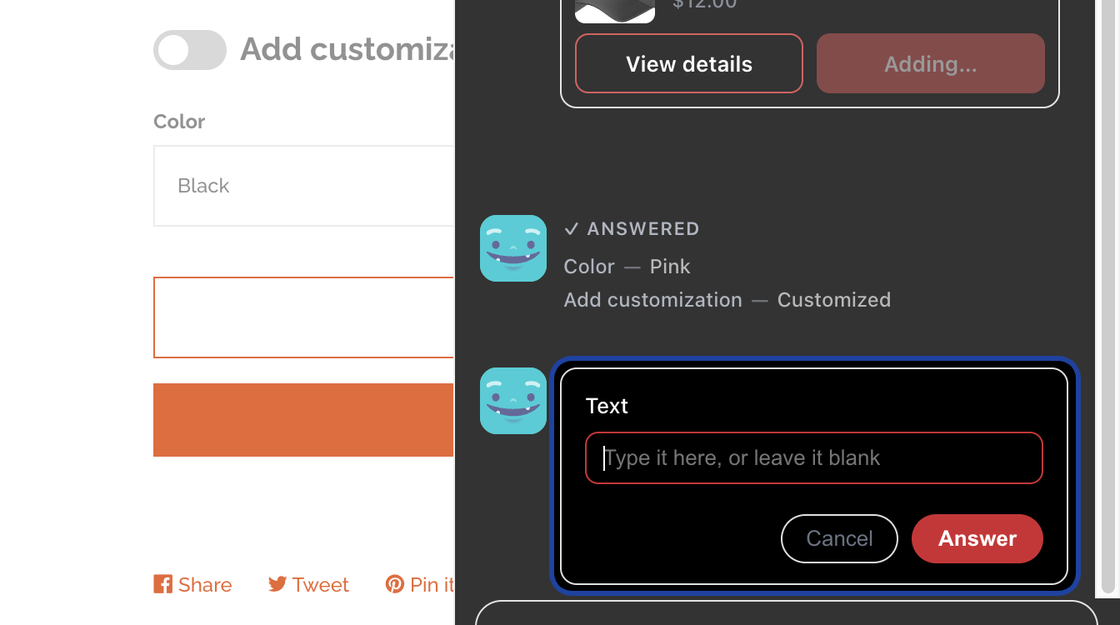
A few kinds of options can only be chosen on the product page, such as file uploads. For those products, the card sends the shopper to the product page instead.
The same happens at the register: in Ask Yedric in POS, a product card asks for the options before the item goes on the sale.
Setting it up
Section titled “Setting it up”Install Infinite Options from the Shopify App Store. The Infinite Options card under Capabilities > Better with friends has an Install button that opens its listing. Once installed, the card shows Installed, and Manage opens Product recommendations.